Skip to content
Menu
The Lonely Administrator
  • PowerShell Tips & Tricks
  • Books & Training
  • Essential PowerShell Learning Resources
  • Privacy Policy
  • About Me
The Lonely Administrator

Tag: Get-Counter

Better Performance Counters with PowerShell

Posted on November 12, 2020November 12, 2020

I wanted to tell you about another addition to the latest release of the PSScriptTools module. This is something I’ve written about before but I decided to add the function to the module. I hope you find it a much easier way to work with performance counters. And it works in Windows PowerShell and PowerShell…

Share this:

  • Share on X (Opens in new window) X
  • Share on Facebook (Opens in new window) Facebook
  • Share on Mastodon (Opens in new window) Mastodon
  • Share on LinkedIn (Opens in new window) LinkedIn
  • Share on Reddit (Opens in new window) Reddit
  • Print (Opens in new window) Print
  • Email a link to a friend (Opens in new window) Email

Like this:

Like Loading…
Read More

A PowerShell Network Monitor

Posted on May 12, 2020October 12, 2021

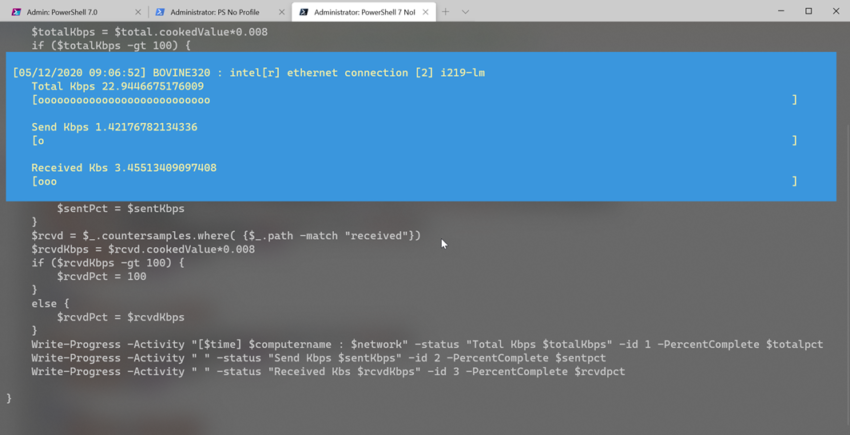
I hope you’ve been trying your hand at the scripting challenges being posted on the Iron Scripter website. The challenges are designed for individuals to do on their own to build up their PowerShell scripting skills. A few weeks ago, a challenge was posted to create a network monitoring tool using PowerShell and the Write-Progress…

Share this:

  • Share on X (Opens in new window) X
  • Share on Facebook (Opens in new window) Facebook
  • Share on Mastodon (Opens in new window) Mastodon
  • Share on LinkedIn (Opens in new window) LinkedIn
  • Share on Reddit (Opens in new window) Reddit
  • Print (Opens in new window) Print
  • Email a link to a friend (Opens in new window) Email

Like this:

Like Loading…
Read More

Background Performance Counters

Posted on December 6, 2011

Windows Powershell makes it relatively easy to collect performance counter information via the Get-Counter cmdlet. Because I’m assuming you want to collect more than a few seconds of performance information, you’ll need to take advantage of PowerShell background jobs if you want your prompt back. Of course, you can always open a second session, but…

Share this:

  • Share on X (Opens in new window) X
  • Share on Facebook (Opens in new window) Facebook
  • Share on Mastodon (Opens in new window) Mastodon
  • Share on LinkedIn (Opens in new window) LinkedIn
  • Share on Reddit (Opens in new window) Reddit
  • Print (Opens in new window) Print
  • Email a link to a friend (Opens in new window) Email

Like this:

Like Loading…
Read More
reports

Powered by Buttondown.

Join me on Mastodon

The PowerShell Practice Primer
Learn PowerShell in a Month of Lunches Fourth edition


Get More PowerShell Books

Other Online Content

github


PluralSightAuthor

Active Directory ADSI Automation Backup Books CIM CLI conferences console Friday Fun FridayFun Function functions Get-WMIObject GitHub hashtable HTML Hyper-V Iron Scripter ISE Measure-Object module modules MrRoboto new-object objects Out-Gridview Pipeline PowerShell PowerShell ISE Profile prompt Registry Regular Expressions remoting SAPIEN ScriptBlock Scripting Techmentor Training VBScript WMI WPF Write-Host xml

©2026 The Lonely Administrator | Powered by SuperbThemes!
%d