Ever since PowerShell 7 came along, I've been having a lot of fun exploring what I can do with ANSI color escape sequences. And actually, even in Windows PowerShell you can use them. Although you need to use a different escape character. Run Get-PSReadlineOption to see what I'm talking about.
Today I have 2 quick "toys" for you to play with. The first is a way to see how to create 256 color schemes. I pulled the data from https://en.wikipedia.org/wiki/ANSI_escape_code. Basically, you can define an escape sequence using the form $([char]0x1b) for Windows PowerShell. You can use the same in PowerShell 7 or the much easier `e. The 38 indicates you want to color the foreground. Use 48 to set the background. And N is a value between 1 and 255.
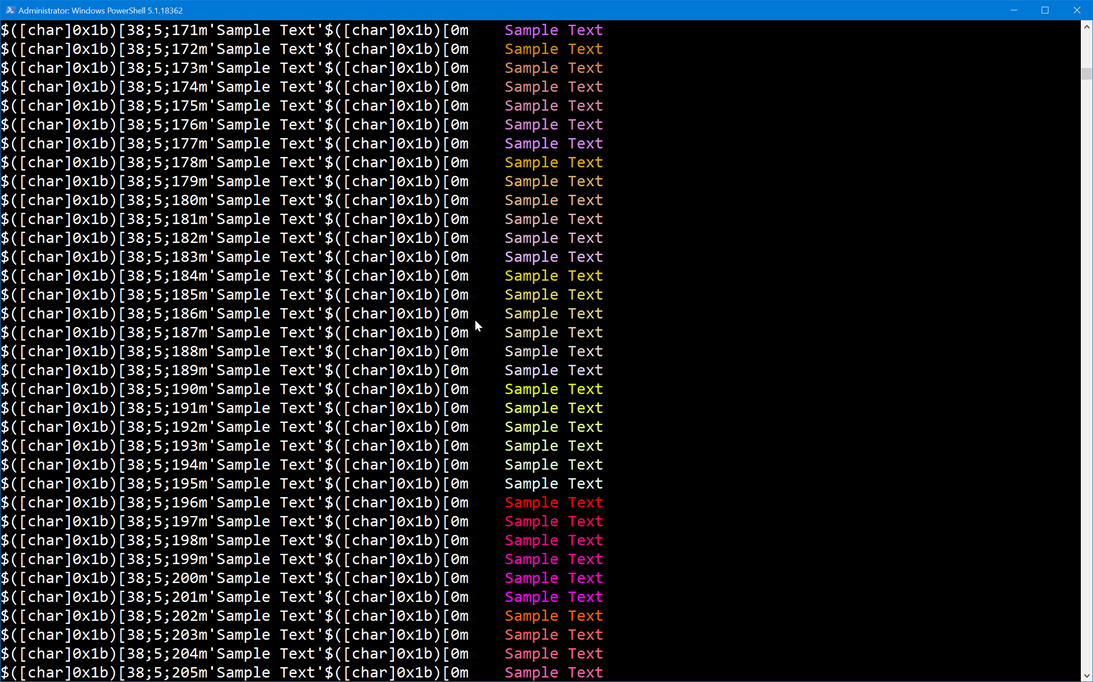
Here's a short script you can run to see what the color schemes look like.
Param ([switch]$Background)

if ($host.name -match "ISE") {
    return "This script won't work properly in the PowerShell ISE. Run it in a PowerShell console."
}

if ($Background) {
    $X = 48
}
else {
    $X = 38
}

if ($iscoreclr) {
    $esc = "`e"
    $escText = '`e'
}
else {
    $esc = $([char]0x1b)
    $escText = '$([char]0x1b)'
}

Clear-Host

1..255| ForEach-Object {
    $text = "{0}[$X;5;{1}m'Sample Text'{0}[0m" -f $escText,$_

    "{0}`t{1}" -f $text,("$esc[$X;5;$($_)m$('Sample Text')$esc[0m")
}
Here's a sample running in Windows PowerShell.
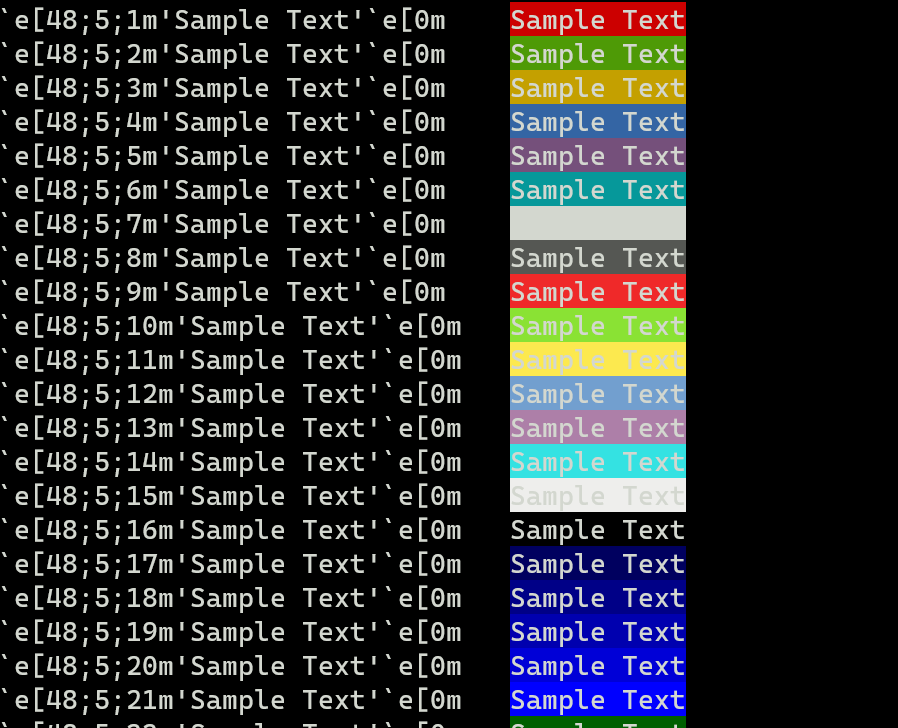
Here's a sample of the backgrounds.
You might want to use one of these values to update color options using Set-PSReadlneOption.
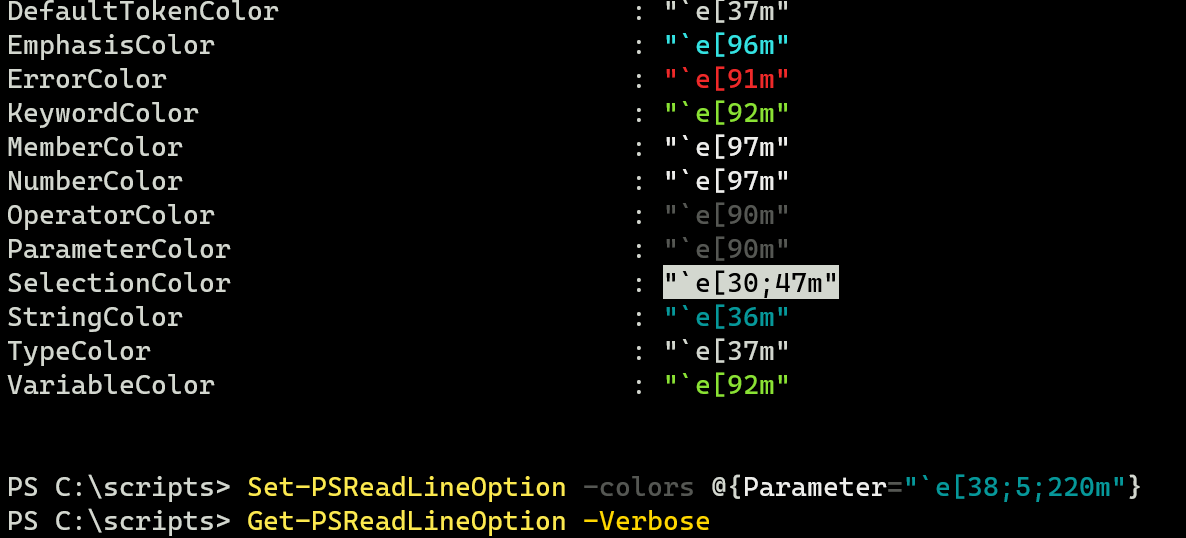 Here you can see that the Parameter color is too difficult to read. I update it with a brighter color and now it is much easier to read. I would need to put this command in my PowerShell profile.
The other fun I've been having is creating color gradient bars.
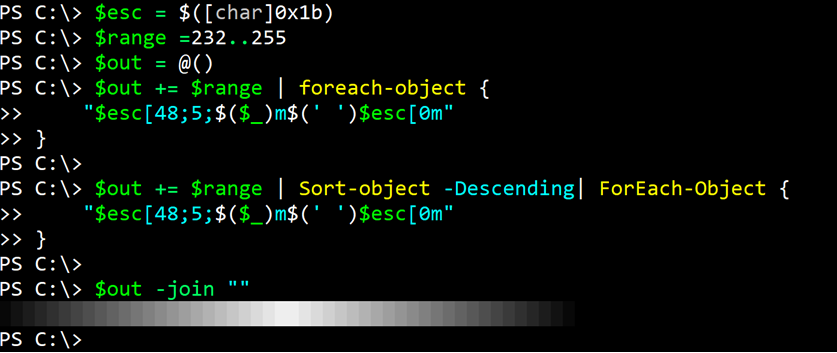
Here's a simple function you can use.
Function New-ANSIBar {
    [cmdletbinding()]
    Param(
        [Parameter(Mandatory,HelpMessage= "Enter a range of 256 color values, e.g. (232..255)")]
        [ValidateNotNullOrEmpty()]
        [int[]]$Range,
        [Parameter(HelpMessage = "How many spaces do you want in the bar? This will increase the length of the bar.")]
        [int]$Spacing = 1
    )
    $esc = "$([char]0x1b)"
    $out = @()
    $blank = " "*$spacing
    $out += $range | ForEach-Object {
        "$esc[48;5;$($_)m$($blank)$esc[0m"
    }

    $out += $range | Sort-Object -Descending | ForEach-Object {
        "$esc[48;5;$($_)m$($blank)$esc[0m"
    }
    $out -join ""
}
Specify a range or collection of 256 color values and the function will create the gradient bar. If you want a longer bar, increase the spacing.
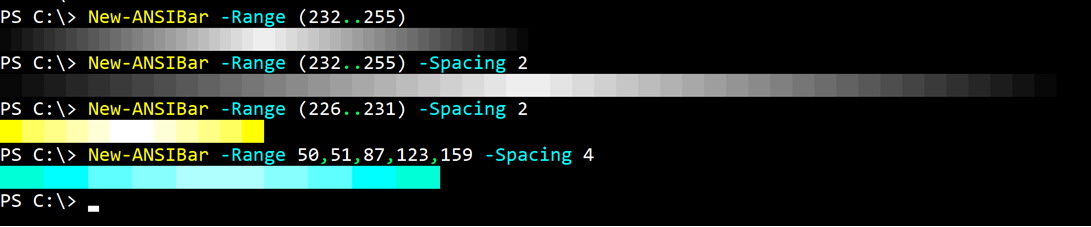
You might use this to add a little eye candy to your PowerShell profile, or merely to avoid having to do real work!