For this week's Friday Fun post, I have another idea on how to brighten your PowerShell console. The concept of a message of the day or quote of the day in computing goes way back to the dark ages (ie before PowerShell). I thought it might be fun to see what we could do with this idea.
There are a number of online sources for things like a quote of the day. One that I came across that I liked was BrainyQuote.com. One think I especially liked was an RSS feed for their quote of the day. Here's why: I can use PowerShell to download data from the RSS feed and present it in PowerShell.
[cc lang="PowerShell"]
Function Get-QOTD {
[cmdletBinding()]
Param()
Write-Verbose "Starting Get-QOTD"
#create the webclient object
$webclient = New-Object System.Net.WebClient
#define the url to connect to
$url="http://feeds.feedburner.com/brainyquote/QUOTEBR"
Write-Verbose "Connecting to $url"
Try
{
#retrieve the url and save results to an XML document
[xml]$data =$webclient.downloadstring($url)
#parse out the XML document to get the first item which
#will be the most recent quote
$quote=$data.rss.channel.item[0]
}
Catch
{
$msg="There was an error connecting to $url"
$msg+=$_.Exception.Message
Write-Warning $msg
}
if ($quote)
{
Write-Verbose $quote.OrigLink
"{0} - {1}" -f $quote.Description,$quote.Title
}
else
{
Write-Warning "Failed to get data from $url"
}
Write-Verbose "Ending Get-QOTD"
} #end function
[/cc]
My function uses the .NET WebClient to download the RSS feed. This comes down as string of XML data, but by casting the object as [xml], I get an XML document. With this, all I need to do is grab the relevant parts and write the resulting string to the pipeline. The quote itself is the description and the attribution source is the title.
I added this function to my profile. At the end of the profile, I get the quote of the day and display it.
[cc lang="PowerShell"]
$q=get-qotd
write-host "$q`n" -foregroundcolor Yellow
[/cc]
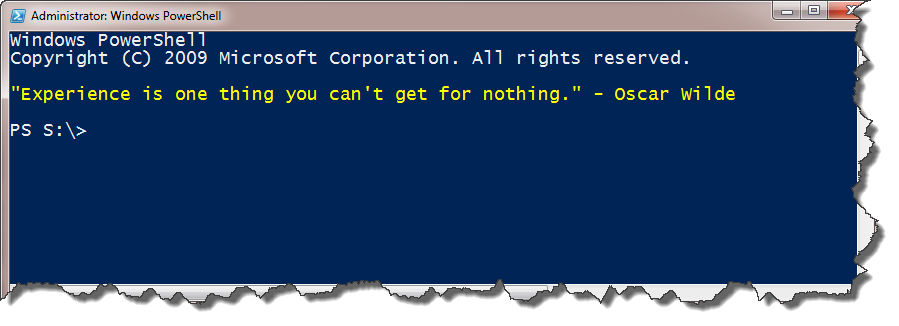
Here's the result when I start a new PowerShell session.
Download Get-QOTD and try it out.
Jeff – file is not posted in good format for download. no linefeeds.
The only place I see it is in the disclaimer which you can delete anyway. Or is the whole download messed up, in which case what browser are you using?
Ooh! What a cool idea!
I’ll be able to start my PowerShell sessions with some sort of humorous anecdote or a clip from any of my favorite RSS feeds. I like it!
I like seeing how you’re working with an RSS feed in PowerShell – so much simpler than if I had written it in C#. Thanks for posting this!
Love this sort of silly – now just need to find a practical use for it! 😉
The practical use is pulling information from an RSS feed. This is a silly quote of the day. But you could pull any information provided via an RSS feed.