In PowerShell, when I have a lot of output, I can use the legacy more.com command to page the results to the screen.
Get-Process | more
There's not anything inherently wrong with this approach. Although one drawback is that it doesn't work in the PowerShell ISE. For that reason alone I decided I needed a PowerShell version of More. I wanted a command that would take pipelined input and write the output in "pages" of objects. You can think of the page as a group of objects. The premise is simple enough: take the incoming objects, and pass them on to the pipeline when the number of objects meets the page limit.
My function, Out-More, is on GitHub.
The default page count is 50. I set a maximum value of 1000 which is totally arbitrary. I wanted to emulate the More.com command the best I could so when you are prompted you can hit Enter or press M to get the next page or N to get the next object. You can also Quit. One thing my command can do that More.com cannot is to stop paging and simply display the rest of the objects. This means you can page output for a few screens and then display the remaining objects.
Here's an example:
get-process | sort vm -Descending | out-more -count 5 -ClearScreen
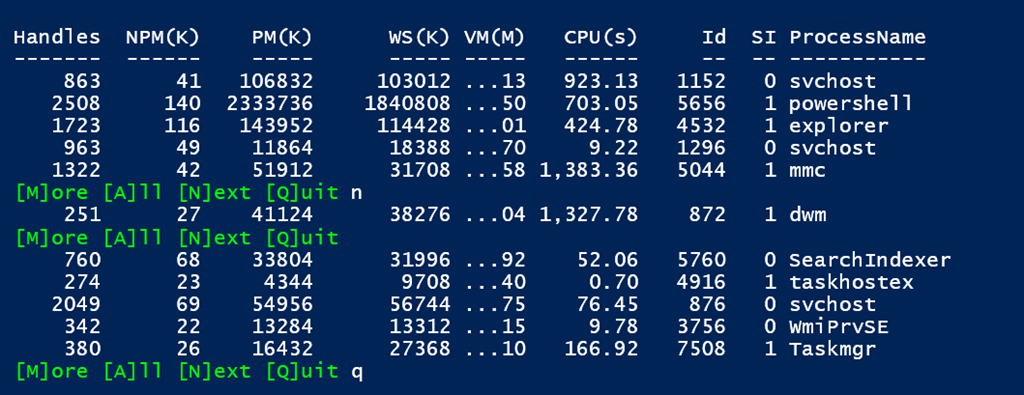
To be clear here, this is writing output to the pipeline not to the console. My expectation is that Out-More would be the last command in your expression, but you could save the results to a variable using Tee-Object.
dir c:\work\*.ps1 | out-more -Count 25 | tee -Variable files
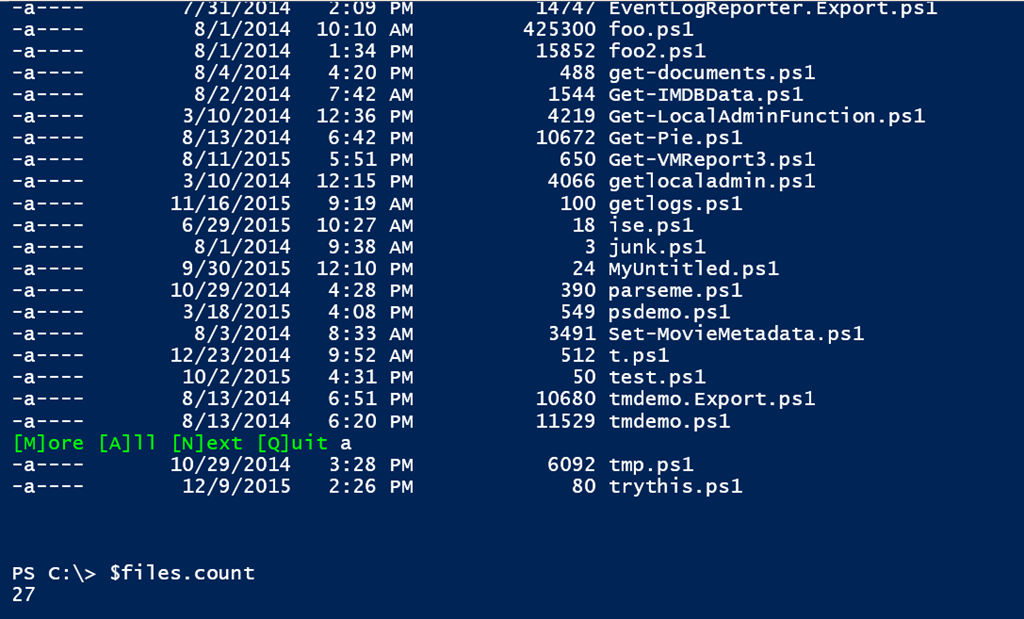
The script file will also define an alias of om. I debated using More, but that is actually a built-in PowerShell function that wraps More.com so I decided to leave it alone. A few of the command parameters also have aliases so take a few minutes to read the help.
I hope you find this as useful as I do.
Nice! You could change the code a little. On the waiting input. Entering a nummer changing $Count. Just for thought.
Thanks for the suggestion.