I readily admit that I spend a great deal of my day at a PowerShell prompt. My day is very much run from the command-line, and has been for quite some time. This used to be a drab, gray existence. But I've been finding ways to liven things up. Here's one way.
The PSScriptTools module includes a number of custom format files with alternate views. You need to make sure the module is imported before you can use any of them.
Import-Module PSScriptToolsBut once loaded, I can run a command like this:
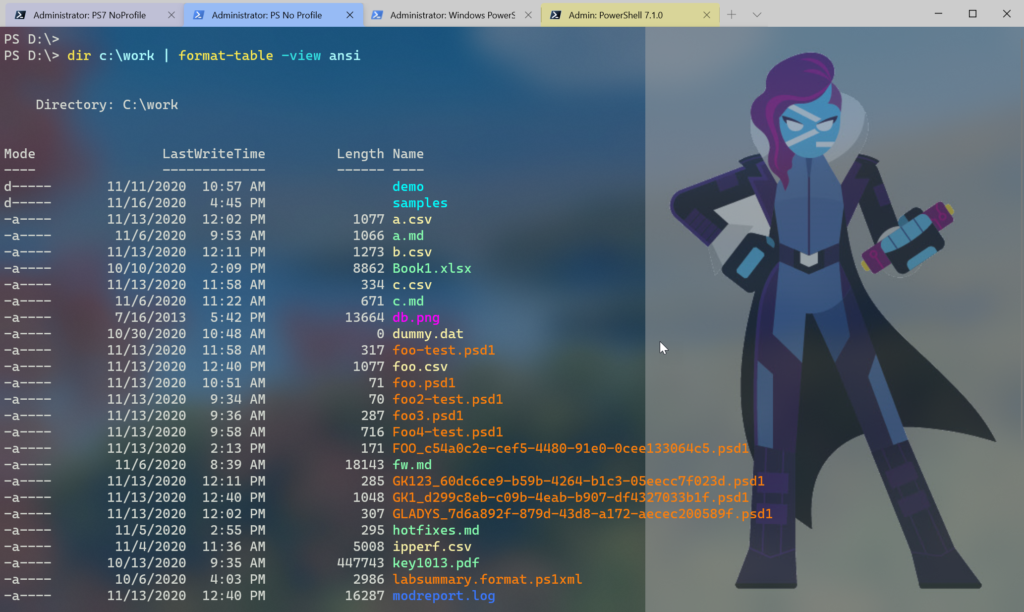
The format view uses a mapping table stored in $PSAnsiFileMap. Files are color-coded based on a type or category. The downside, is that if I want this output I have to remember to pipe to Format-Table and specify the view. But I want this to be the default behavior. Here's how.
First, I need the path to the format.ps1xml file.
$f = (Get-Module PSScriptTools).ExportedFormatFiles | where-object {$_ -match 'filesystem-ansi'}The value of $f should be something like C:\Program Files\WindowsPowerShell\Modules\psscripttools\2.33.1\formats\filesystem-ansi.format.ps1xml. To make this the default I will run this command.
Update-FormatData -PrependPath $fThe PrependPath parameter tells PowerShell to let this file take precedence. This setting only lasts for as long as PowerShell is running. If I want this behavior all the time, I can put these code snippets in my PowerShell profile script. This will work for both Windows PowerShell and PowerShell 7.
With the new setting, the ANSI-colored view is now my default and I don't have to include any extra steps.
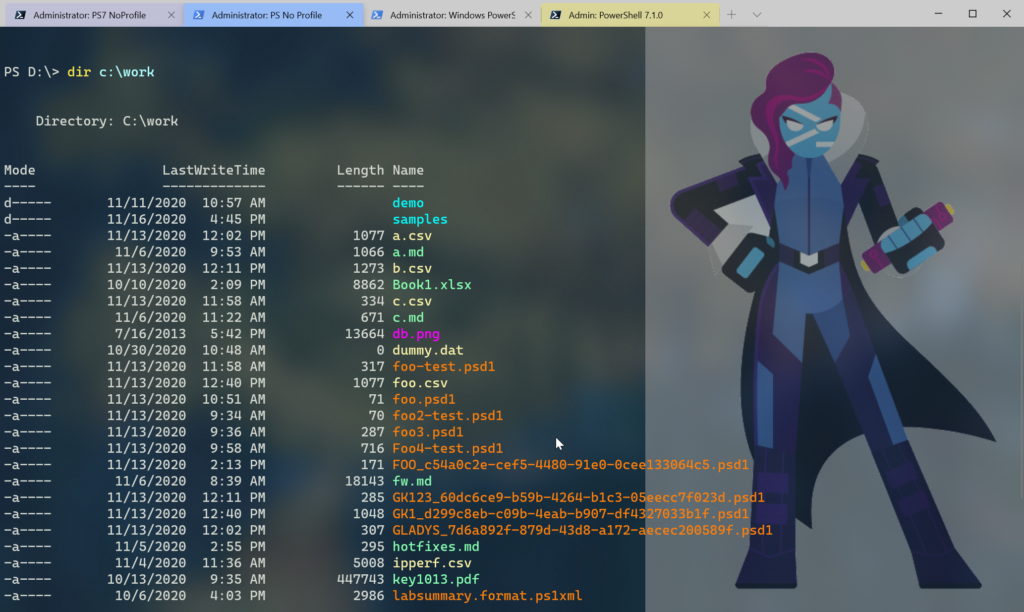
If you'd like to see what other formatting options are in the module, take a look at the README. Nothing is permanent so I hope you'll play, have some fun, and maybe find something that you didn't realize needed!
Awesome. Thanks!