A quick post today to remind you of a way to make PowerShell even easier to use. PowerShell cmdlets and functions obviously help us get a lot done, and most commands offer a number of parameters to customize what needs to be done. Unless you love typing, you probably would like an even easier way to use PowerShell. Let me show you.
Here's a command that I use often.
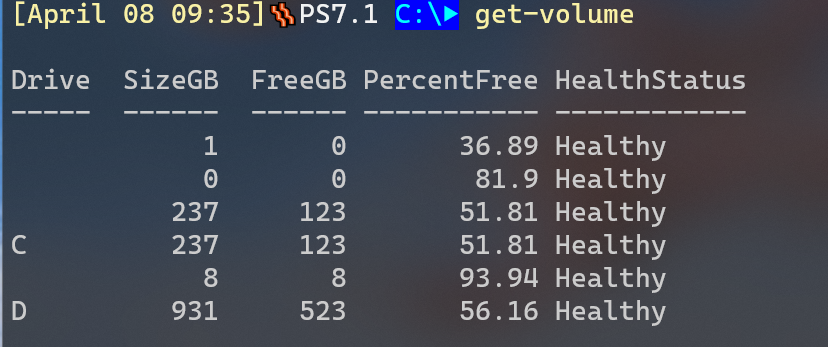
But I don't usually care about anything other my fixed drives, C and D. Get-Volume makes that easy.
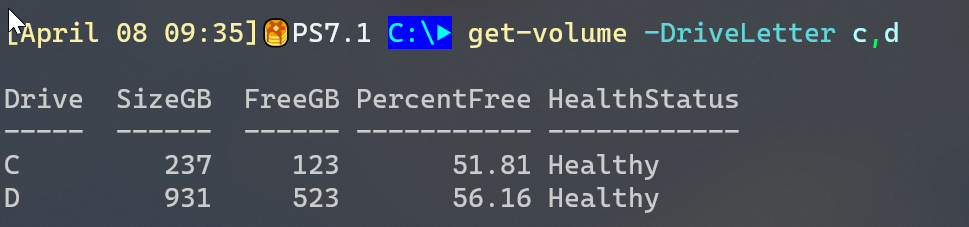
But I'm lazy. Even with tab-completion I need to remember to use these parameters. Why not make them the default? That's where $PSDefaultParameterValues comes into the picture. This is an automatic variable that is a hashtable. The key takes the form "command:parameter".
$PSDefaultParameterValues.add("Get-Volume:driveletter",@("c","d"))By the way, you can use wildcards. Here's a setting I use so that all ActiveDirectory commands automatically connect to DOM1.
$PSDefaultParameterValues.Add("*-AD*:Server", "DOM1")If I don't specify the parameter and a different value, PowerShell will use this default. Now, Get-Volume is even easier.
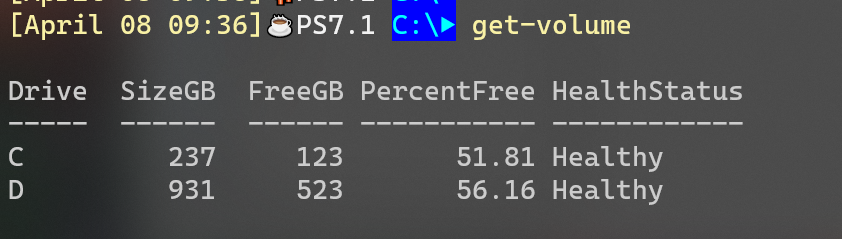
I put the command in my PowerShell profile script and I don't have to worry about it. It is all of these little savings that add up over the course of a day or week, and make PowerShell less of a chore to use.
Oh! I’m using this!!!! – Nice tip.